For independent support workers

NDIS SupportFlow

Everything you need to run your support work, in one place.

Invoices • Shifts • Notes
Kilometres • Expenses • Tax
Private by design • Participant records stay on your device • Works offline

Everything you need to run your support work

Log the shift in Work, raise the invoice, and Money keeps a running tax figure the moment you mark it paid.

Invoice in minutes

NDIS item codes built in, participant and plan manager details filled in, due dates worked out automatically. Pick who it's for and most of it is already done.
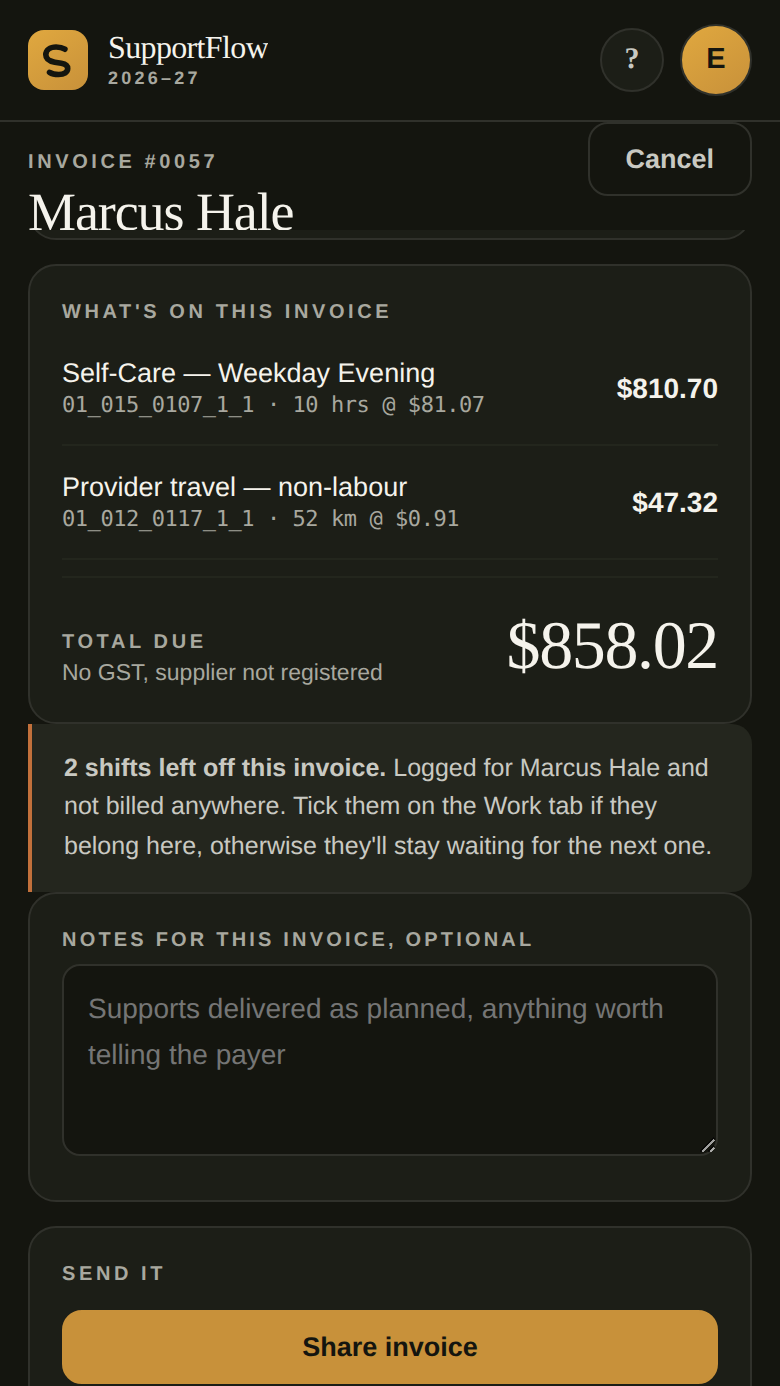
An NDIS invoice in SupportFlow, showing the line items built from ticked shifts and the total due

Log your kilometres once

Record a trip against a participant. It attaches to their next invoice, and the same kilometres count toward your vehicle deduction at the ATO's rate. Entered once, used twice.

The travel screen in SupportFlow, showing billable kilometres and the matching tax deduction

Know what to put aside for tax

A running figure for an estimate of what you may need to put aside for tax, using current rates, after your expenses and vehicle deduction. This is the number that stops June being a shock.
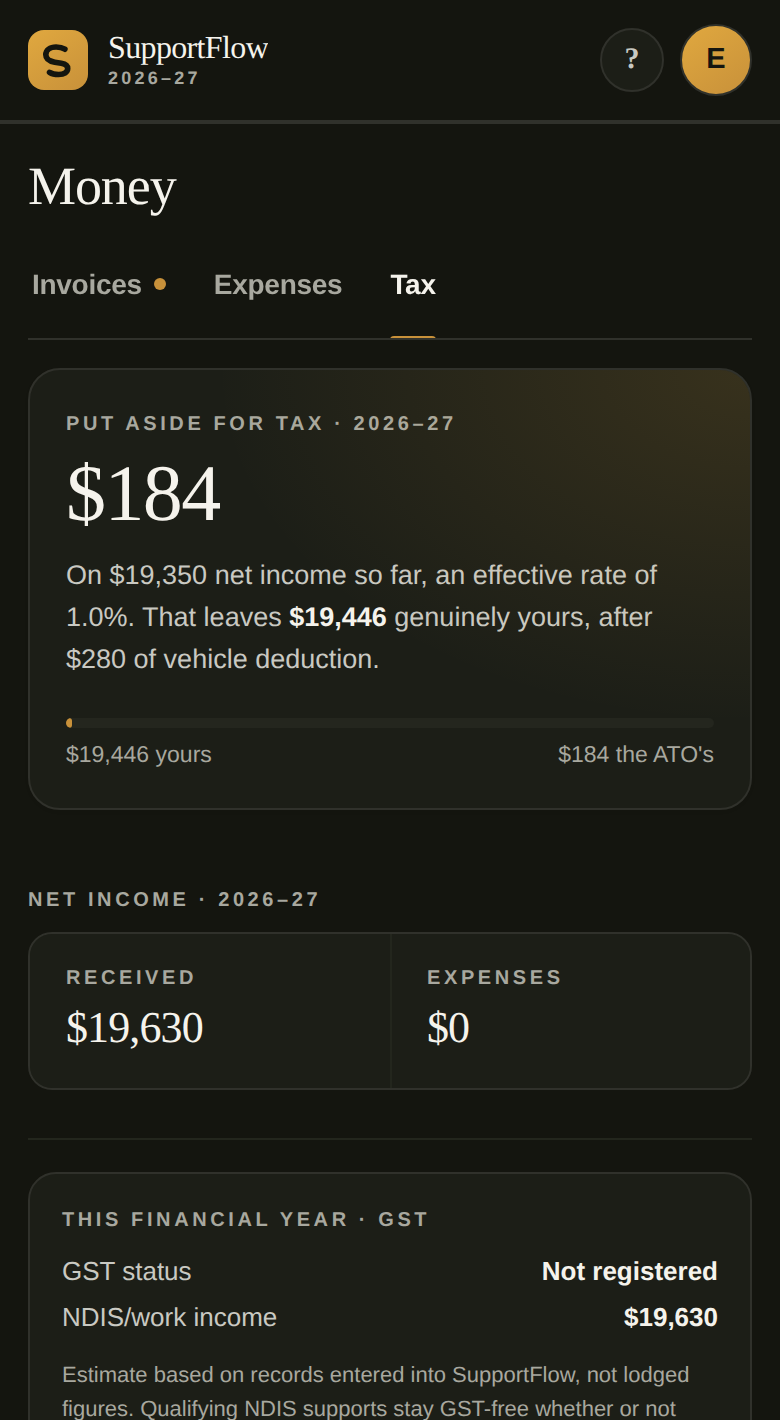
The tax summary in SupportFlow, showing the amount to set aside and the vehicle deduction

Shifts, notes, expenses and agreements

A log of what you've worked, grouped by financial year with each shift's billing status at a glance. Shift notes to share with a plan manager, expenses tracked as you spend them, and service agreements generated ready to sign.

The shifts calendar in SupportFlow, showing logged and upcoming shifts

Stop doing the same admin twice.

One trip. One record. Every use it's entitled to.

The same goes for shifts. Log one and the app helps match it to the applicable support item, weekday, evening, Saturday or public holiday, then puts it on the invoice and counts it toward your tax. You enter it once.

50 Early Access testers wanted

We're looking for independent NDIS support workers to use SupportFlow in real-world work and help us refine it before launch.

Free during Early Access, plus 90 days free when SupportFlow officially launches.

Before you ask

The questions people actually have, answered plainly.

Is my participant information private? Yes. Participant records stay on your device and aren't stored in a central SupportFlow database.
What happens if I lose or change my phone? Your records live on that device only. If you've backed up, an encrypted file with a passphrase only you know, you restore it on a new device and you're back. If you haven't backed up, that data is genuinely gone, the same as any other file on a lost phone.
Does it work without internet? Once you've opened it successfully one time, the core app keeps working with no connection at all. A few features that genuinely need the internet, like sending an email or the optional deduction checker, wait until you're back online.
What happens after Early Access? Testing wraps up once things are working well and feedback's been addressed. As one of the first 50, you'll get 90 days free the day SupportFlow officially launches, on us.

Install SupportFlow: add it to your home screen and it works offline.

Your participant records stay with you

You hold people's names, NDIS numbers and notes about their disability. That's health information, and the law treats it seriously. So does this app.

Records stay on your device No account, no cloud copy, no central SupportFlow database holding participant details.
Lock the app with a PIN Set a PIN or use your fingerprint or face where your phone supports it.
Backups are encrypted AES-256 with a passphrase only you know, applied before the file leaves your device.
Works offline Once opened successfully once, the core app keeps working with no connection at all.

Full detail on how backups, locking and sharing work is in the Privacy Policy.